Re: [FOSDEM Treasure] Your speaking schedule for FOSDEM 2021 - Message Two

Hello, The record is ready, however , i am not able to see the event where I will attach/upload the video : https://penta.fosdem.org/submission/FOSDEM21/events [cid:0bf671a3-3edd-40c3-a7e5-f00c28f55105] Is it because you didn't put it in the schedule ? My talk should start at 16:30, the 6 of Feb 2021,, however, it does not appear in the schedule here here: https://cfp.cfgmgmtcamp.org/fosdem2021/schedule/ [cid:fd7de7af-8121-4a79-8932-f243fa71aa89] I am looking forward to helping me in this stage. Best Regards, ___ Abdennour http://kubernetes.tn [cid:4d374d99-f5de-4c67-8e1b-d40047e7b150] ________________________________ From: Abdennour TOUMI <mail@abdennoor.com> Sent: 23 January 2021 12:29 To: speakers-team@fosdem.org <speakers-team@fosdem.org> Subject: Re: Your speaking schedule for FOSDEM 2021 - Message Two FYI, the record will be uploaded today. ___ Abdennour http://kubernetes.tn [cid:0c346c92-8481-4b82-84db-7a0eb7d6ef1e] ________________________________ From: Abdennour TOUMI <mail@abdennoor.com> Sent: 21 January 2021 01:16 To: speakers-team@fosdem.org <speakers-team@fosdem.org> Subject: Re: Your speaking schedule for FOSDEM 2021 - Message Two Hello, The record should be totally uploaded before the mentioned deadline. Regarding https://penta.fosdem.org/, i am not able to login, or even reset password. It requests for my username. and i am not sure how to proceed with creating this account. [cid:4714a405-c520-43db-a868-ca67c5991f09] ___ Abdennour http://kubernetes.tn [cid:1d69c7cc-4fa2-4f54-b094-c13cfff3f7b1] ________________________________ From: FOSDEM Programme Team <speakers-team@fosdem.org> Sent: 21 January 2021 01:09 To: Abdennour TOUMI <mail@abdennoor.com> Cc: speakers-team@fosdem.org <speakers-team@fosdem.org> Subject: Your speaking schedule for FOSDEM 2021 - Message Two Dear speaker, Thank you again for agreeing to speak at Virtual FOSDEM 2021! CHECKLIST ========= - Check the schedule still shows what you expect - If you didn't already: - Upload your video as soon as possible If you cannot do this by the end of Sunday 24th January you need to get in touch with us. - Order your complimentary T-shirt (voucher sent in separate email) - Upload a photo, biography and a logo for your talk. - Look out for an email inviting you to the matrix platform that we are using for the event. - Read carefully the new details about the platform in the second half of this message. - Keep this message for reference! SCHEDULE ======== Firstly, this is what the database thinks is your schedule: .------------------------------------------------------------------------------------------------. | day | time | room | state | role | title | +------------+----------+---------+-----------+---------+----------------------------------------+ | 2021-02-06 | 16:30:00 | D.infra | confirmed | speaker | Scaling Release Management with GitOps | '------------+----------+---------+-----------+---------+----------------------------------------' All times are Brussels local time - CET - UTC+1. Please let us know immediately if the day or time needs to be changed. If no day or time is shown, please arrange one urgently with your track or devroom manager! For standard presentations, you should be available before the start time to make sure your connection is working and afterwards for an extended discussion session. If the status is 'unconfirmed' then please respond to confirm that you will be able to take part. Please check the links here carefully for events that are scheduled and confirmed (others won't yet be valid): .-----------------------------------------. | links | +-----------------------------------------+ | https://fosdem.org/2021/schedule/event/ | '-----------------------------------------' You can login and update the information at: https://fosdem.org/submit If you have never logged in before or forgotten your password, go to https://penta.fosdem.org/user/forgot_password to receive an email to set a new password by entering the username: abdennourtoumi T-SHIRTS ======== A voucher for a T-shirt has been sent in a separate email from treasure@fosdem.org. If you haven't already ordered and still intend to do so, please don't delay so that we can reach the threshold required to place a second order sooner rather than later. Unfortunately it might not be possible for our suppliers to ship to every country - we will get in touch if this applies to you. We are also setting up shopfronts to sell T-shirts to attendees but due to the complexities involved these are unlikely to be ready until at least later next week. PHOTO AND BIOGRAPHY =================== Please upload a photograph of yourself if you have not already done so and enter or update your biography. You can use markdown formatting within your abstracts and biographies, as described here: http://daringfireball.net/projects/markdown/syntax Changes take a few minutes to reach the website (once the talk is scheduled and the status is 'confirmed') - the time it was last updated appears at the bottom of this page: https://fosdem.org/2021/schedule/events/ NEW - You should also upload a small image to be displayed with your talk both on the website and with the matrix chat room. (For example, if the talk is about a project, you might use the project logo.) RECORDINGS ========== As you'll already be aware, all presentations must be pre-recorded this year. Once your talk is scheduled, 'Upload' and 'Review' links will appear (the words themselves are the links) when you view it at: https://fosdem.org/submit Choose the event from the list and you'll see it lower down the page on the General tab above the Room. https://penta.fosdem.org/submission/FOSDEM21/events There is some guidance here: https://news.perlfoundation.org/post/fosdem_2021_speaker_guidance Technical requirements: resolution: 1280x720 frame rate: 25 fps video codec: h264 video codec, main profile video bitrate: <= 2Mbit/s audio codec: aac audio codec audio sample rate: 48 KHz mono audio bitrate: 128 Kbit/s media container: mp4 We recommend you make and upload a short test video first to check it comes across OK. (A simple way to make one is to record a free online video conferencing session.) So long as you don't use the button to confirm that the recording is ready for us to use, you can do the upload again and replace it with the real one - or a better one, if you don't like what you see. For queries about videos, please ask your host or devroom manager or use the video@fosdem.org contact address. TIMING ====== Each session has two time fields. The Duration is the amount of time you will have in the live stream. This is what is advertised in the public schedule. A second field gives the length of the pre-recorded video, which must of course be shorter. This field is filled in automatically after your video has been processed. The difference between the two times is what you have for live broadcast Q&A. (Some additional seconds will be lost for switchover.) Extended "hallway" discussion afterwards is not included in those times and will vary depending on who shows up and how long you are willing to stay, but our rule of thumb is that we anticipate it will last for as long as the original session. (We believe it will be one of the most important features of the event.) POST-EVENT VIDEOS ================= The live, broadcast, Q&A will be recorded and available to watch from video.fosdem.org afterwards. The extended "hallway" discussion will not (though it is a technical impossibility to prevent someone attending from recording it locally). Note that recordings will be published under the same licence as all FOSDEM content (CC-BY). You are agreeing to this by taking part in the event. SLIDES ====== Any slide decks you present should be uploaded (into pentabarf) by about half-an-hour before the start of your talk so that people watching the live stream can follow them locally if their video resolution or poor bandwidth leaves slide content indistinct. (Our system does not hold back publication, so if you don't want people to see them too far in advance, don't upload them yet or leave the 'public' checkbox un-ticked and tick it later. You could also omit from the uploaded version any surprises or answers you don't want to reveal in advance.) THE MATRIX PLATFORM =================== This year FOSDEM is going online using Matrix (https://matrix.org) as the primary communication fabric to provide the social and participatory aspects of the conference. Matrix is an open communications protocol, providing IRC/Slack/Discord- style chat over an open global network of servers. Conversation history is replicated over the servers of the participating users, avoiding any single points of control or failure. Matrix lets you embed arbitrary web content (called 'widgets') into chatrooms, which we're relying on heavily in FOSDEM in order to present the same view of livestreams, video conferences, upvoted questions and schedules to all participants. This plan of action is still a work in progress and is subject to change, but our current expectations are as follows: What you need to do ahead of FOSDEM ----------------------------------- Speakers should expect the following: * You will shortly be invited into the "backstage" room for your devroom or track, so you can coordinate with the devroom organisers and exchange tips with your fellow speakers. For instance, the backstage room for the Python devroom is #python-backstage:fosdem.org https://matrix.to/#/#python-backstage:fosdem.org You will also be invited into the speakers support room #speakers:fosdem.org https://matrix.to/#/#speakers:fosdem.org , where we will be available to help with any problems. * This invitation will be an email titled "FOSDEM has invited you to a room on Element", sent from noreply@element.io to the email address you use on penta.fosdem.org (unless you already have a Matrix account associated with that email address, in which case you will be invited directly). * Element is the name of the Matrix client we're recommending for FOSDEM, and the email contains a link which will set you up on Matrix using the Element instance at https://chat.fosdem.org. * For FOSDEM, we recommend using Element as a webapp on desktop from https://chat.fosdem.org, which contains tweaks specific to FOSDEM. * On mobile, you can get the native Android or iOS app from https://element.io/get-started. If you don't already have a Matrix account, enter the server as fosdem.org (*not* chat.fosdem.org) to sign up for an account on the FOSDEM server. * We do **not** recommend using the Electron desktop app for FOSDEM, as it will lack the webapp customisations we've done for chat.fosdem.org. Having received the invite, please follow the above instructions and join the backstage room for your track this week so you can get familiar and comfortable with Element and Matrix plenty of time before FOSDEM begins. If you are failing to join Matrix successfully, please seek help in irc://irc.freenode.net/#fosdem #fosdem:fosdem.org https://matrix.to/#/#fosdem:fosdem.org or contact experience@fosdem.org. What you need to know for FOSDEM itself --------------------------------------- * Each talk has a specific private chatroom in order to coordinate between the speaker and their host. You and your host will shortly be invited into the room for your talk. * Each devroom/track and stand also has a public chatroom for the audience (e.g. #python:fosdem.org https://matrix.to/#/#python:fosdem.org for the Python dev room. * The public rooms will be bridged to IRC as irc://irc.freenode.net/#fosdem-python (or equivalent), and also available via XMPP as xmpp:#python#fosdem.org:matrix.org?join. The public rooms should also work well from other Matrix clients (e.g. weechat-matrix, nheko, FluffyChat, NeoChat, Quaternion, etc.) * The private rooms are unfortunately not bridged, as they depend on widgets to work, and are unlikely to have a way to authenticate widgets to bridged users yet before FOSDEM (and if we did, it'd amount to running a mini-Matrix client just for widgets anyway).. * There are also a bunch of social and support rooms, visible on the public room directory of the server (use the 'compass' icon on the top left of Element Web's user interface), or from the welcome page on chat.fosdem.org. * In the private talk room, you should be greeted by your host, who will be organising the live question and answer questions at the end of your talk. * If you don't join the private talk room well in advance of your talk, you should expect to receive nagging emails until you do :) * When it's time for your talk to be broadcast to the devroom, you should join the video conference embedded in the room to coordinate with your host and watch the talk in the devroom together (as if you were in the audience). The audience (and you!) will be able to see the recorded talk on the livestream embedded in the public devroom. * Shortly before the end of your recorded talk, the video conference in your private talk room will be switched to broadcast to the livestream, so that everyone in the devroom can see and hear the host relay questions about the talk from the public devroom chat. You will be warned of this in advance in the chatroom. * Important: the livestream will lag the video conference by roughly 3-4 seconds (subject to network conditions causing client buffering). Because of the lag on the broadcast you will go live *before* you see the video reach its end and so you will not see the last seconds of the video on the livestream. (The broadcast lag for some viewers chatting in the public devroom might be as much as 30 seconds.) * After the official Q&A session, once the next talk has begun, the private talk room will automatically become open to the public (not sharing prior chat history), letting the audience join to ask further questions if they want - much as they might by grabbing you on the side of the stage or in the hallway after a talk at FOSDEM proper. They can join your video conference to ask questions, or do so via chat, or just watch the subsequent questions via a 'local' livestream (which will not be broadcast outside of that chatroom). * Your talk's room will then live on for as long as you like, as part of the history of FOSDEM 2021 :) For more context on how FOSDEM came to be running on Matrix this year, please see: https://matrix.org/blog/2021/01/04/taking-fosdem-online-via-matrix. Best wishes, The FOSDEM Programme Team





Abdennour, On 24/01/2021 02:50, Abdennour TOUMI wrote:
Hello,
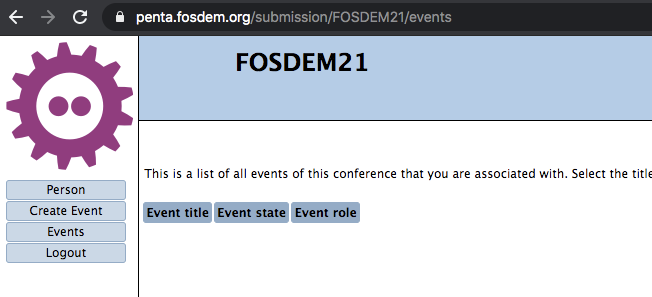
The record is ready, however , i am not able to see the event where I will attach/upload the video : https://penta.fosdem.org/submission/FOSDEM21/events <https://penta.fosdem.org/submission/FOSDEM21/events> OK, you have 2 talks, with 2 different penta accounts.
@Alisdair can you merge the 2 user accounts The talk is scheduled with the 'other account'
Is it because you didn't put it in the schedule ? My talk should start at 16:30, the 6 of Feb 2021,, however, it does not appear in the schedule here here: https://cfp.cfgmgmtcamp.org/fosdem2021/schedule/ <https://cfp.cfgmgmtcamp.org/fosdem2021/schedule/>
No, our pretalx instance is not relevant for scheduling, we have now moved everything to penta, we only still use pretalx for emails. You are on the schedule here : https://fosdem.org/2021/schedule/track/infra_management/ This is your talk page https://fosdem.org/2021/schedule/event/scaling_release_management_with_gitop...
I am looking forward to helping me in this stage. Best Regards,
Regards, Toshaan.
___
Abdennour
http://kubernetes.tn <http://kubernetes.tn>
------------------------------------------------------------------------ *From:* Abdennour TOUMI <mail@abdennoor.com> *Sent:* 23 January 2021 12:29 *To:* speakers-team@fosdem.org <speakers-team@fosdem.org> *Subject:* Re: Your speaking schedule for FOSDEM 2021 - Message Two FYI, the record will be uploaded today.
___
Abdennour
http://kubernetes.tn <http://kubernetes.tn>
------------------------------------------------------------------------ *From:* Abdennour TOUMI <mail@abdennoor.com> *Sent:* 21 January 2021 01:16 *To:* speakers-team@fosdem.org <speakers-team@fosdem.org> *Subject:* Re: Your speaking schedule for FOSDEM 2021 - Message Two Hello,
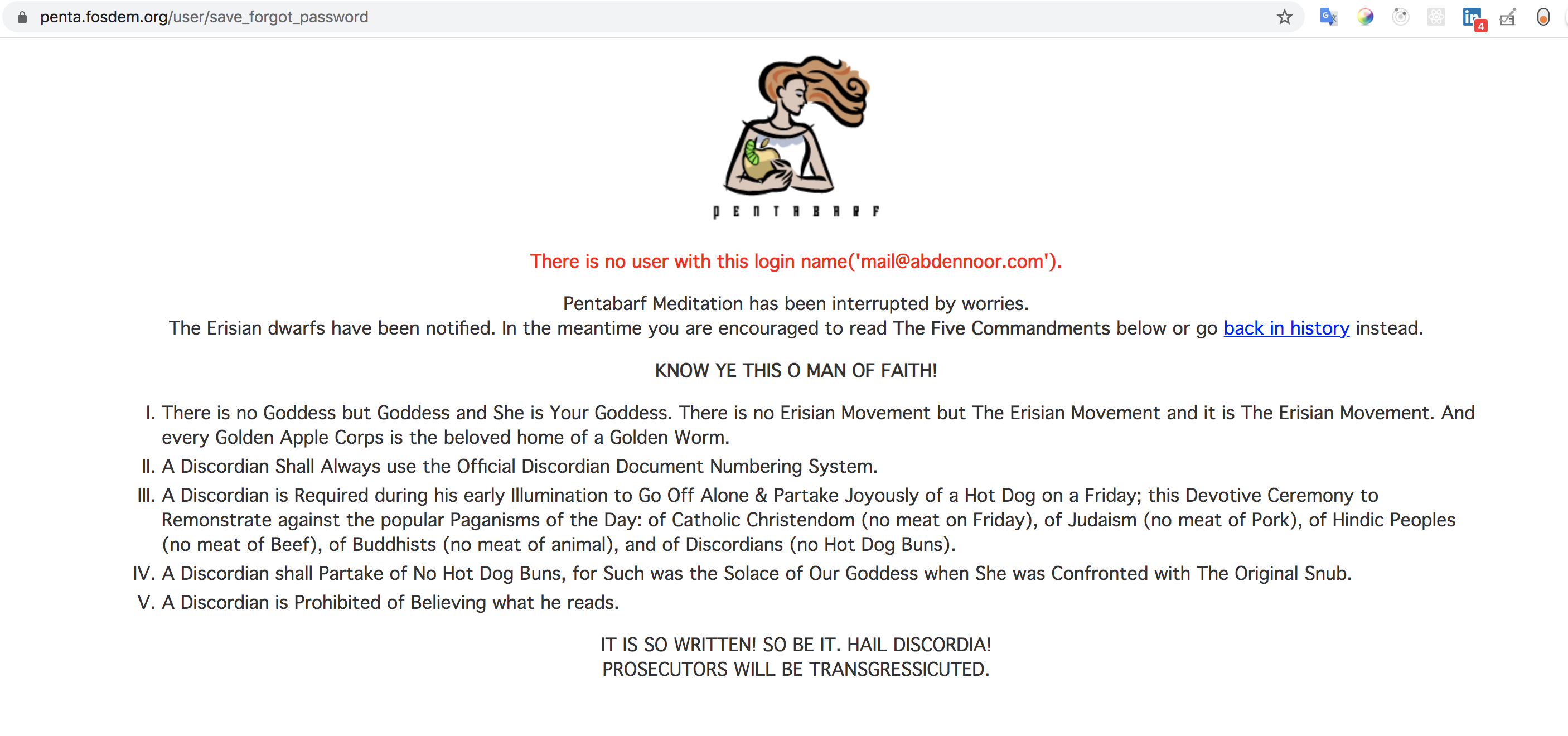
The record should be totally uploaded before the mentioned deadline. Regarding https://penta.fosdem.org/ <https://penta.fosdem.org/>, i am not able to login, or even reset password. It requests for my username. and i am not sure how to proceed with creating this account.
___
Abdennour
http://kubernetes.tn <http://kubernetes.tn>
------------------------------------------------------------------------ *From:* FOSDEM Programme Team <speakers-team@fosdem.org> *Sent:* 21 January 2021 01:09 *To:* Abdennour TOUMI <mail@abdennoor.com> *Cc:* speakers-team@fosdem.org <speakers-team@fosdem.org> *Subject:* Your speaking schedule for FOSDEM 2021 - Message Two Dear speaker,
Thank you again for agreeing to speak at Virtual FOSDEM 2021!
CHECKLIST ========= - Check the schedule still shows what you expect - If you didn't already: - Upload your video as soon as possible If you cannot do this by the end of Sunday 24th January you need to get in touch with us. - Order your complimentary T-shirt (voucher sent in separate email) - Upload a photo, biography and a logo for your talk. - Look out for an email inviting you to the matrix platform that we are using for the event. - Read carefully the new details about the platform in the second half of this message. - Keep this message for reference!
SCHEDULE ======== Firstly, this is what the database thinks is your schedule:
.------------------------------------------------------------------------------------------------. | day | time | room | state | role | title | +------------+----------+---------+-----------+---------+----------------------------------------+ | 2021-02-06 | 16:30:00 | D.infra | confirmed | speaker | Scaling Release Management with GitOps | '------------+----------+---------+-----------+---------+----------------------------------------'
All times are Brussels local time - CET - UTC+1.
Please let us know immediately if the day or time needs to be changed. If no day or time is shown, please arrange one urgently with your track or devroom manager! For standard presentations, you should be available before the start time to make sure your connection is working and afterwards for an extended discussion session.
If the status is 'unconfirmed' then please respond to confirm that you will be able to take part.
Please check the links here carefully for events that are scheduled and confirmed (others won't yet be valid):
.-----------------------------------------. | links | +-----------------------------------------+ | https://fosdem.org/2021/schedule/event/ <https://fosdem.org/2021/schedule/event/> | '-----------------------------------------'
You can login and update the information at: https://fosdem.org/submit <https://fosdem.org/submit>
If you have never logged in before or forgotten your password, go to https://penta.fosdem.org/user/forgot_password <https://penta.fosdem.org/user/forgot_password> to receive an email to set a new password by entering the username: abdennourtoumi
T-SHIRTS ======== A voucher for a T-shirt has been sent in a separate email from treasure@fosdem.org. If you haven't already ordered and still intend to do so, please don't delay so that we can reach the threshold required to place a second order sooner rather than later. Unfortunately it might not be possible for our suppliers to ship to every country - we will get in touch if this applies to you. We are also setting up shopfronts to sell T-shirts to attendees but due to the complexities involved these are unlikely to be ready until at least later next week.
PHOTO AND BIOGRAPHY =================== Please upload a photograph of yourself if you have not already done so and enter or update your biography. You can use markdown formatting within your abstracts and biographies, as described here: http://daringfireball.net/projects/markdown/syntax <http://daringfireball.net/projects/markdown/syntax>
Changes take a few minutes to reach the website (once the talk is scheduled and the status is 'confirmed') - the time it was last updated appears at the bottom of this page: https://fosdem.org/2021/schedule/events/ <https://fosdem.org/2021/schedule/events/>
NEW - You should also upload a small image to be displayed with your talk both on the website and with the matrix chat room. (For example, if the talk is about a project, you might use the project logo.)
RECORDINGS ========== As you'll already be aware, all presentations must be pre-recorded this year.
Once your talk is scheduled, 'Upload' and 'Review' links will appear (the words themselves are the links) when you view it at: https://fosdem.org/submit <https://fosdem.org/submit> Choose the event from the list and you'll see it lower down the page on the General tab above the Room. https://penta.fosdem.org/submission/FOSDEM21/events <https://penta.fosdem.org/submission/FOSDEM21/events>
There is some guidance here: https://news.perlfoundation.org/post/fosdem_2021_speaker_guidance <https://news.perlfoundation.org/post/fosdem_2021_speaker_guidance>
Technical requirements: resolution: 1280x720 frame rate: 25 fps video codec: h264 video codec, main profile video bitrate: <= 2Mbit/s audio codec: aac audio codec audio sample rate: 48 KHz mono audio bitrate: 128 Kbit/s media container: mp4
We recommend you make and upload a short test video first to check it comes across OK. (A simple way to make one is to record a free online video conferencing session.)
So long as you don't use the button to confirm that the recording is ready for us to use, you can do the upload again and replace it with the real one - or a better one, if you don't like what you see.
For queries about videos, please ask your host or devroom manager or use the video@fosdem.org contact address.
TIMING ====== Each session has two time fields. The Duration is the amount of time you will have in the live stream. This is what is advertised in the public schedule. A second field gives the length of the pre-recorded video, which must of course be shorter. This field is filled in automatically after your video has been processed. The difference between the two times is what you have for live broadcast Q&A. (Some additional seconds will be lost for switchover.) Extended "hallway" discussion afterwards is not included in those times and will vary depending on who shows up and how long you are willing to stay, but our rule of thumb is that we anticipate it will last for as long as the original session. (We believe it will be one of the most important features of the event.)
POST-EVENT VIDEOS ================= The live, broadcast, Q&A will be recorded and available to watch from video.fosdem.org afterwards. The extended "hallway" discussion will not (though it is a technical impossibility to prevent someone attending from recording it locally).
Note that recordings will be published under the same licence as all FOSDEM content (CC-BY). You are agreeing to this by taking part in the event.
SLIDES ====== Any slide decks you present should be uploaded (into pentabarf) by about half-an-hour before the start of your talk so that people watching the live stream can follow them locally if their video resolution or poor bandwidth leaves slide content indistinct. (Our system does not hold back publication, so if you don't want people to see them too far in advance, don't upload them yet or leave the 'public' checkbox un-ticked and tick it later. You could also omit from the uploaded version any surprises or answers you don't want to reveal in advance.)
THE MATRIX PLATFORM =================== This year FOSDEM is going online using Matrix (https://matrix.org <https://matrix.org>) as the primary communication fabric to provide the social and participatory aspects of the conference.
Matrix is an open communications protocol, providing IRC/Slack/Discord- style chat over an open global network of servers. Conversation history is replicated over the servers of the participating users, avoiding any single points of control or failure. Matrix lets you embed arbitrary web content (called 'widgets') into chatrooms, which we're relying on heavily in FOSDEM in order to present the same view of livestreams, video conferences, upvoted questions and schedules to all participants.
This plan of action is still a work in progress and is subject to change, but our current expectations are as follows:
What you need to do ahead of FOSDEM ----------------------------------- Speakers should expect the following:
* You will shortly be invited into the "backstage" room for your devroom or track, so you can coordinate with the devroom organisers and exchange tips with your fellow speakers. For instance, the backstage room for the Python devroom is #python-backstage:fosdem.org https://matrix.to/#/#python-backstage:fosdem.org <https://matrix.to/#/#python-backstage:fosdem.org>
You will also be invited into the speakers support room #speakers:fosdem.org https://matrix.to/#/#speakers:fosdem.org <https://matrix.to/#/#speakers:fosdem.org> , where we will be available to help with any problems.
* This invitation will be an email titled "FOSDEM has invited you to a room on Element", sent from noreply@element.io to the email address you use on penta.fosdem.org (unless you already have a Matrix account associated with that email address, in which case you will be invited directly).
* Element is the name of the Matrix client we're recommending for FOSDEM, and the email contains a link which will set you up on Matrix using the Element instance at https://chat.fosdem.org <https://chat.fosdem.org>.
* For FOSDEM, we recommend using Element as a webapp on desktop from https://chat.fosdem.org <https://chat.fosdem.org>, which contains tweaks specific to FOSDEM.
* On mobile, you can get the native Android or iOS app from https://element.io/get-started <https://element.io/get-started>. If you don't already have a Matrix account, enter the server as fosdem.org (*not* chat.fosdem.org) to sign up for an account on the FOSDEM server.
* We do **not** recommend using the Electron desktop app for FOSDEM, as it will lack the webapp customisations we've done for chat.fosdem.org.
Having received the invite, please follow the above instructions and join the backstage room for your track this week so you can get familiar and comfortable with Element and Matrix plenty of time before FOSDEM begins.
If you are failing to join Matrix successfully, please seek help in irc://irc.freenode.net/#fosdem #fosdem:fosdem.org https://matrix.to/#/#fosdem:fosdem.org <https://matrix.to/#/#fosdem:fosdem.org> or contact experience@fosdem.org.
What you need to know for FOSDEM itself --------------------------------------- * Each talk has a specific private chatroom in order to coordinate between the speaker and their host. You and your host will shortly be invited into the room for your talk.
* Each devroom/track and stand also has a public chatroom for the audience (e.g. #python:fosdem.org https://matrix.to/#/#python:fosdem.org <https://matrix.to/#/#python:fosdem.org> for the Python dev room.
* The public rooms will be bridged to IRC as irc://irc.freenode.net/#fosdem-python (or equivalent), and also available via XMPP as xmpp:#python#fosdem.org:matrix.org?join. The public rooms should also work well from other Matrix clients (e.g. weechat-matrix, nheko, FluffyChat, NeoChat, Quaternion, etc.)
* The private rooms are unfortunately not bridged, as they depend on widgets to work, and are unlikely to have a way to authenticate widgets to bridged users yet before FOSDEM (and if we did, it'd amount to running a mini-Matrix client just for widgets anyway)..
* There are also a bunch of social and support rooms, visible on the public room directory of the server (use the 'compass' icon on the top left of Element Web's user interface), or from the welcome page on chat.fosdem.org.
* In the private talk room, you should be greeted by your host, who will be organising the live question and answer questions at the end of your talk.
* If you don't join the private talk room well in advance of your talk, you should expect to receive nagging emails until you do :)
* When it's time for your talk to be broadcast to the devroom, you should join the video conference embedded in the room to coordinate with your host and watch the talk in the devroom together (as if you were in the audience). The audience (and you!) will be able to see the recorded talk on the livestream embedded in the public devroom.
* Shortly before the end of your recorded talk, the video conference in your private talk room will be switched to broadcast to the livestream, so that everyone in the devroom can see and hear the host relay questions about the talk from the public devroom chat. You will be warned of this in advance in the chatroom.
* Important: the livestream will lag the video conference by roughly 3-4 seconds (subject to network conditions causing client buffering). Because of the lag on the broadcast you will go live *before* you see the video reach its end and so you will not see the last seconds of the video on the livestream. (The broadcast lag for some viewers chatting in the public devroom might be as much as 30 seconds.)
* After the official Q&A session, once the next talk has begun, the private talk room will automatically become open to the public (not sharing prior chat history), letting the audience join to ask further questions if they want - much as they might by grabbing you on the side of the stage or in the hallway after a talk at FOSDEM proper. They can join your video conference to ask questions, or do so via chat, or just watch the subsequent questions via a 'local' livestream (which will not be broadcast outside of that chatroom).
* Your talk's room will then live on for as long as you like, as part of the history of FOSDEM 2021 :)
For more context on how FOSDEM came to be running on Matrix this year, please see: https://matrix.org/blog/2021/01/04/taking-fosdem-online-via-matrix <https://matrix.org/blog/2021/01/04/taking-fosdem-online-via-matrix>.
Best wishes,
The FOSDEM Programme Team
participants (2)
-
 Abdennour TOUMI
 -
 CfgMgmtCamp